What Is a REST API? Understanding the Core Idea with Practical Examples

Saleh Megawer
Full Stack Web DeveloperIn this article, we’ll build a clear mental model of what a REST API is, what kind of problems it solves, and how it works conceptually — before we touch Laravel or any actual backend code.
The Problem That REST APIs Solve
Imagine you have a mobile app, a web dashboard, and an internal back‑office system inside your company, and all of them need to work with the same data: users, orders, products.
If each one of these clients talks to the database in its own custom way, then every time you change the database structure or business logic you’ll have to open three or four different codebases and update them all. That quickly turns into a maintenance nightmare as the project grows.
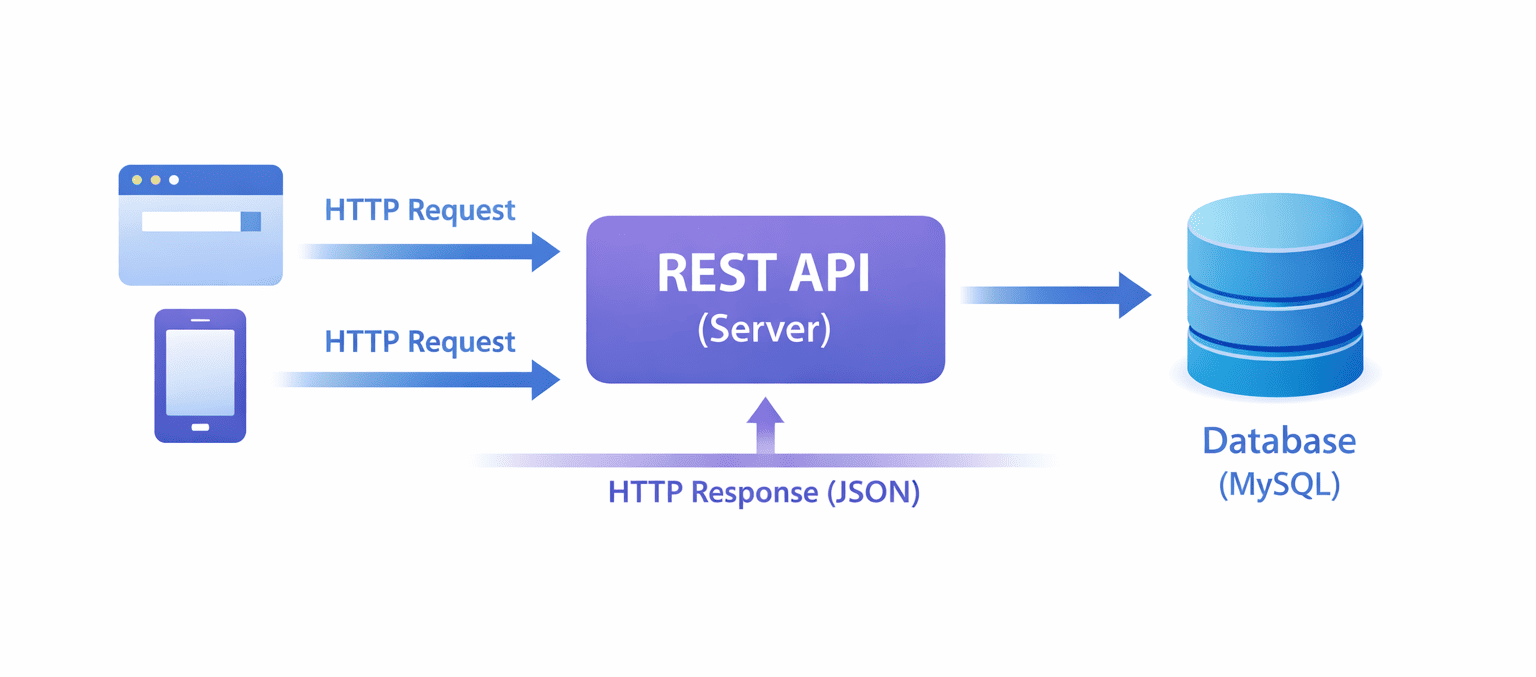
The solution is to put a unified layer in the middle: a single official gateway that every client (web, mobile, third‑party service) must go through to read or change data, without caring about database details or backend language. That unified gateway is an API, and when we follow the REST style while designing it, we call it a REST API.[web:20][web:32]
What Exactly Is a REST API?
A simple definition
REST stands for Representational State Transfer — it’s an architectural style for designing web APIs, not a concrete technology or framework by itself.[web:20][web:30]
A REST API is an application programming interface that lets a client (such as a web app, mobile app, or another server) work with resources on a server over HTTP, following a set of consistent rules. In practice, data is usually sent and received in JSON format.[web:20][web:32]
In other words, it’s a structured way for any application to create, read, update, and delete data on a
server using standard HTTP requests like GET, POST, PUT, and
DELETE, and to get back well‑structured JSON responses.[web:29][web:32]
An example to make it concrete
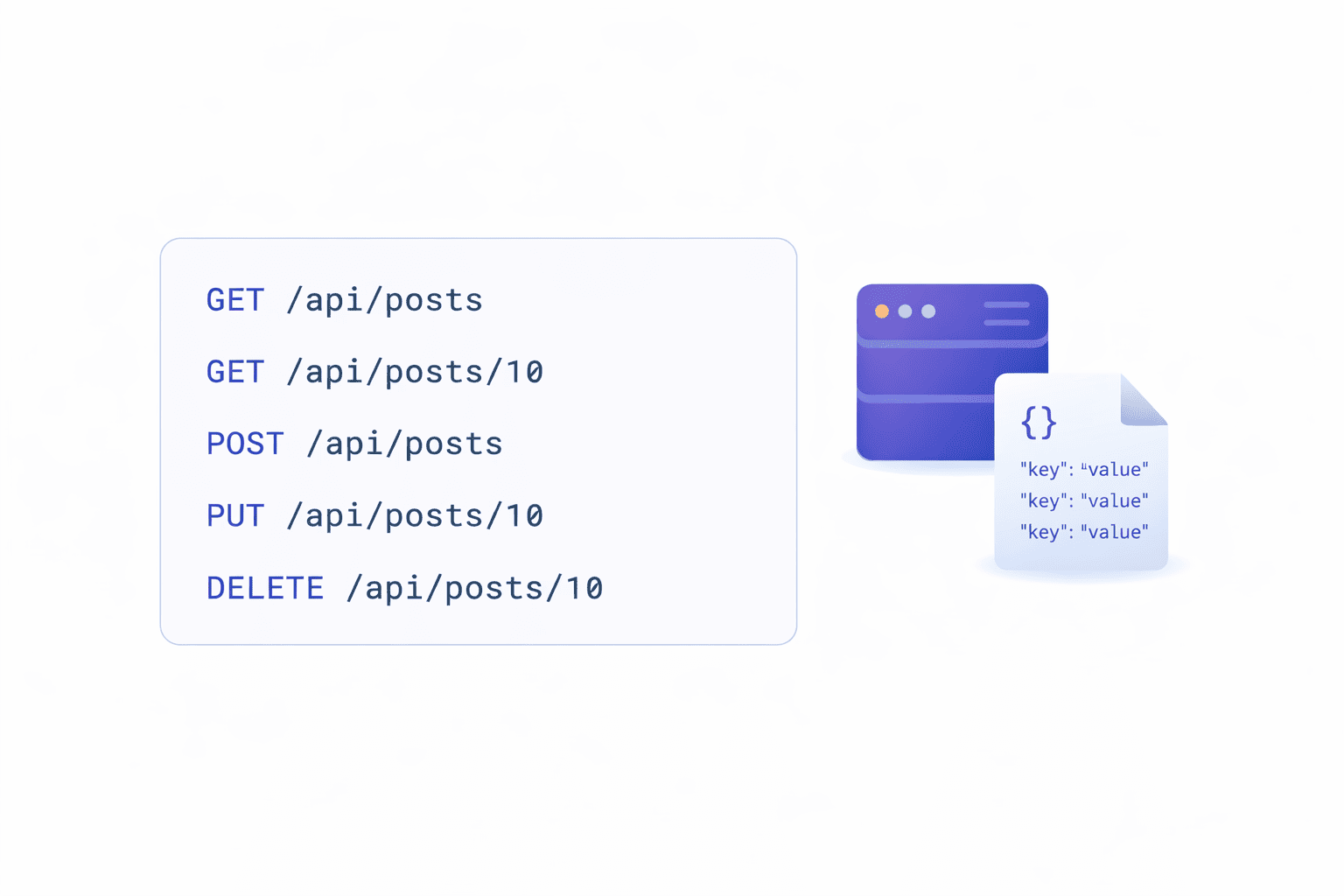
Suppose you have a simple blog system. You can think of a posts resource. From a REST API
perspective, you might expose endpoints like:
GET /api/posts→ return all posts.GET /api/posts/10→ return the post with ID 10.POST /api/posts→ create a new post.PUT /api/posts/10→ fully update the post with ID 10.DELETE /api/posts/10→ delete the post with ID 10.
All of this is built on top of HTTP and uses ideas that the web has had for years — you’re just using them in a disciplined way to design your API.
REST Is Built on Resources and HTTP
Resources instead of functions
One of the core ideas behind REST is to think about your data as resources (user, product, order, invoice) instead of as functions (getUsers, saveUser, etc.).[web:20][web:37]
Every resource has:
- A name:
users,posts,orders, and so on. -
An address (URI) that points to it, such as
/api/users/5. - A representation of its data, most commonly JSON, returned in the HTTP response.
Instead of exposing an endpoint like /api/getAllUsers, a RESTful design prefers
/api/users and uses the HTTP method to express the action.
HTTP Methods as Consistent Actions
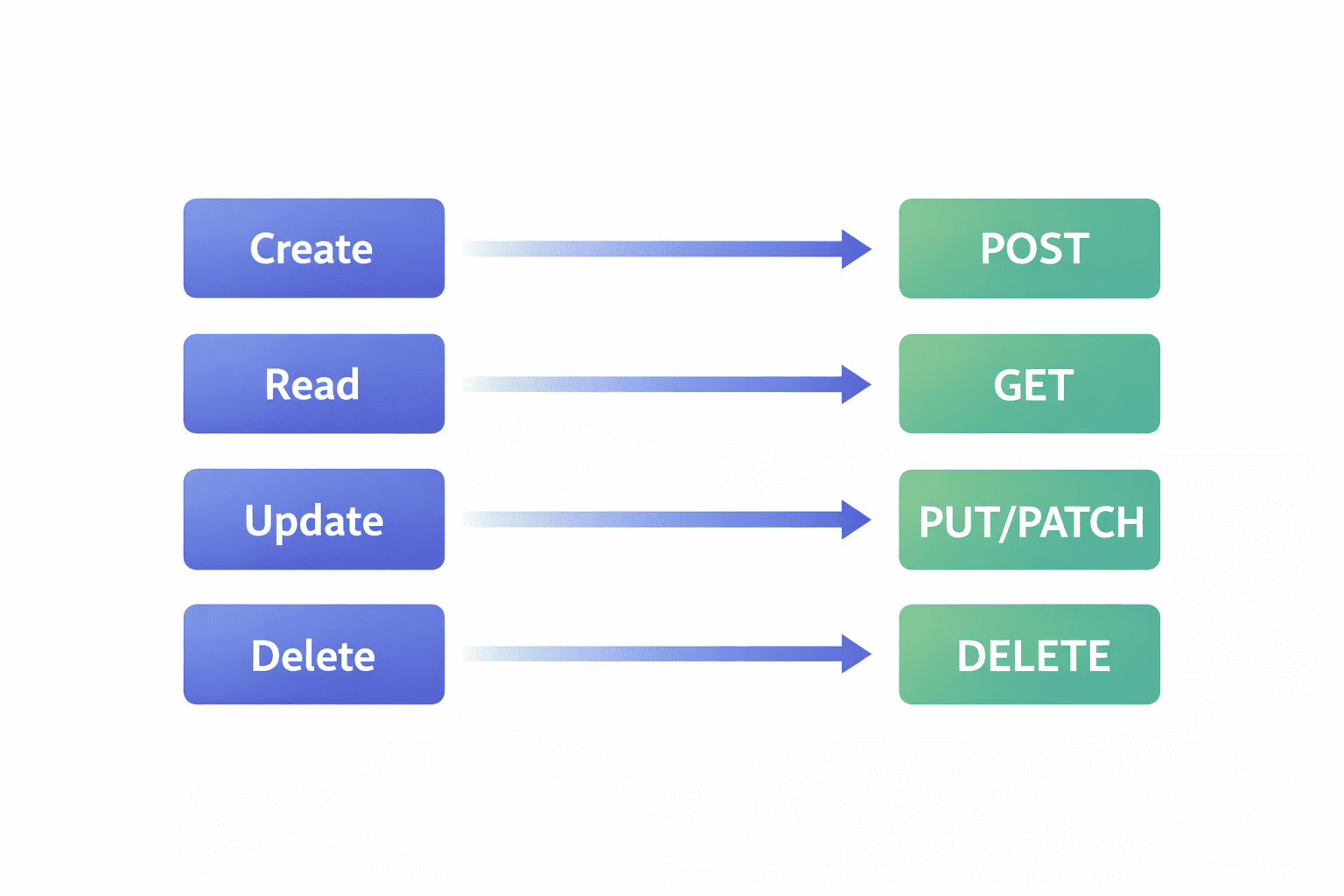
REST takes advantage of the HTTP methods that already exist and maps them to the classic CRUD operations: Create, Read, Update, Delete.[web:29][web:41]
- GET → read existing data (Read).
- POST → create new data (Create).
- PUT / PATCH → update existing data (Update).
- DELETE → remove data (Delete).
The benefit is that any developer who understands basic HTTP can almost guess how to use your API without spending hours reading documentation, because the patterns are familiar and predictable.[web:29][web:32]
REST as an Architectural Style (not every HTTP API is REST)
Not every API that uses HTTP is automatically REST. To be considered truly RESTful, an API should follow a set of architectural constraints defined by the REST style.[web:20][web:30][web:33]
- Client–Server: clear separation between the client (who makes requests) and the server (who stores data and applies logic).
- Stateless: each request is independent; the server does not keep client session state between requests.
- Cacheable: responses can be marked as cacheable to improve performance.
- Uniform Interface: a consistent way of identifying and interacting with resources across the whole API.
- Layered System: you can have layers in between (gateways, proxies) without the client needing to know.
- Code on Demand (optional): the server can send executable code to the client in special cases.
Following these principles makes your API easier to understand, scale, and maintain over the long term.
A Quick Look: REST vs SOAP
- REST: lightweight, uses HTTP directly, often uses JSON, flexible and easy to consume in modern web and mobile apps.[web:20][web:32]
- SOAP: older and heavier, uses XML and a strict protocol, often used in large enterprise environments where strong contracts are required.
For most modern web and mobile applications, REST tends to be the natural choice because it’s simpler, lighter, and easier to integrate with different technologies.[web:32][web:37]
If you want to dig deeper into more formal definitions, you can check resources like RESTful API Tutorial.
REST APIs in Everyday Applications
You’re probably using REST APIs every day without realizing it:
- A weather app fetching forecast data from a weather provider’s REST API.
- A banking mobile app talking to a backend over REST APIs to show balances and transactions.
- An e‑commerce platform exposing a REST API that both the mobile app and the admin dashboard use to manage products and orders.
In all of these cases, there is a single backend exposing a REST API, and multiple clients (web, mobile, other services) all speaking the same language: HTTP + JSON.[web:32][web:37]
A Simple REST API Request and Response
Let’s look at a simple example of creating a new blog post through a REST API:
POST /api/posts HTTP/1.1
Host: example.com
Content-Type: application/json
Authorization: Bearer <token>

{
  "title": "My first REST API article",
  "body": "Sample content for the article...",
  "tags": ["rest", "api", "backend"]
}
The server’s response might look like this:
{
  "data": {
    "id": 10,
    "title": "My first REST API article",
    "body": "Sample content for the article...",
    "tags": ["rest", "api", "backend"],
    "created_at": "2026-03-22T10:00:00Z"
  },
  "message": "Post created successfully"
}
The key points here are:
- The client sent a clear JSON request body.
- The server responded with a well‑structured JSON payload.
- Internal details like the database type or server language are hidden from the client.
REST API from a Laravel / PHP developer perspective
As a Laravel or PHP developer, you’ll see the REST API concept show up in places like:
- Using
routes/api.phpinstead ofroutes/web.phpto build JSON‑based endpoints. - Defining resources such as
User,Post, andOrderas Eloquent models and controllers. -
Using
Route::apiResource()to quickly generate a full set of RESTful routes (index, show, store, update, destroy). - Handling incoming requests and returning responses as JSON by default in your API layer.
In this article we focused on the mental model. In the next articles, we’ll translate these ideas into a real Laravel + MySQL implementation step by step.
What’s Next in This Series
If the picture still doesn’t feel 100% solid, that’s completely normal — this article was meant to give you the “big picture” before diving into the details.
The next article will be about: the core building blocks of any REST API: Resources, Endpoints, Methods, and Status Codes.
We’ll dive deeper into:
- How to name your resources properly.
- How to design clean, predictable endpoints.
- When to use GET, POST, PUT, or DELETE in real situations.
- How to choose the correct HTTP status code for each scenario.
If you’re not confident yet about naming resources and endpoints, you’ll struggle later when the API grows or when you start working in a team — so the next article is going to be very important.