REST API Fundamentals: Resources, Endpoints, HTTP Methods, and Status Codes

Saleh Megawer
Full Stack Web DeveloperIn the previous part of this series, we focused on the big picture of REST APIs: what they are and why we need them in modern systems. If you missed Part 1, it’s a good idea to start there: What Is a REST API? Understanding the Core Idea .
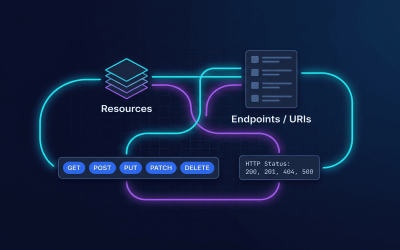
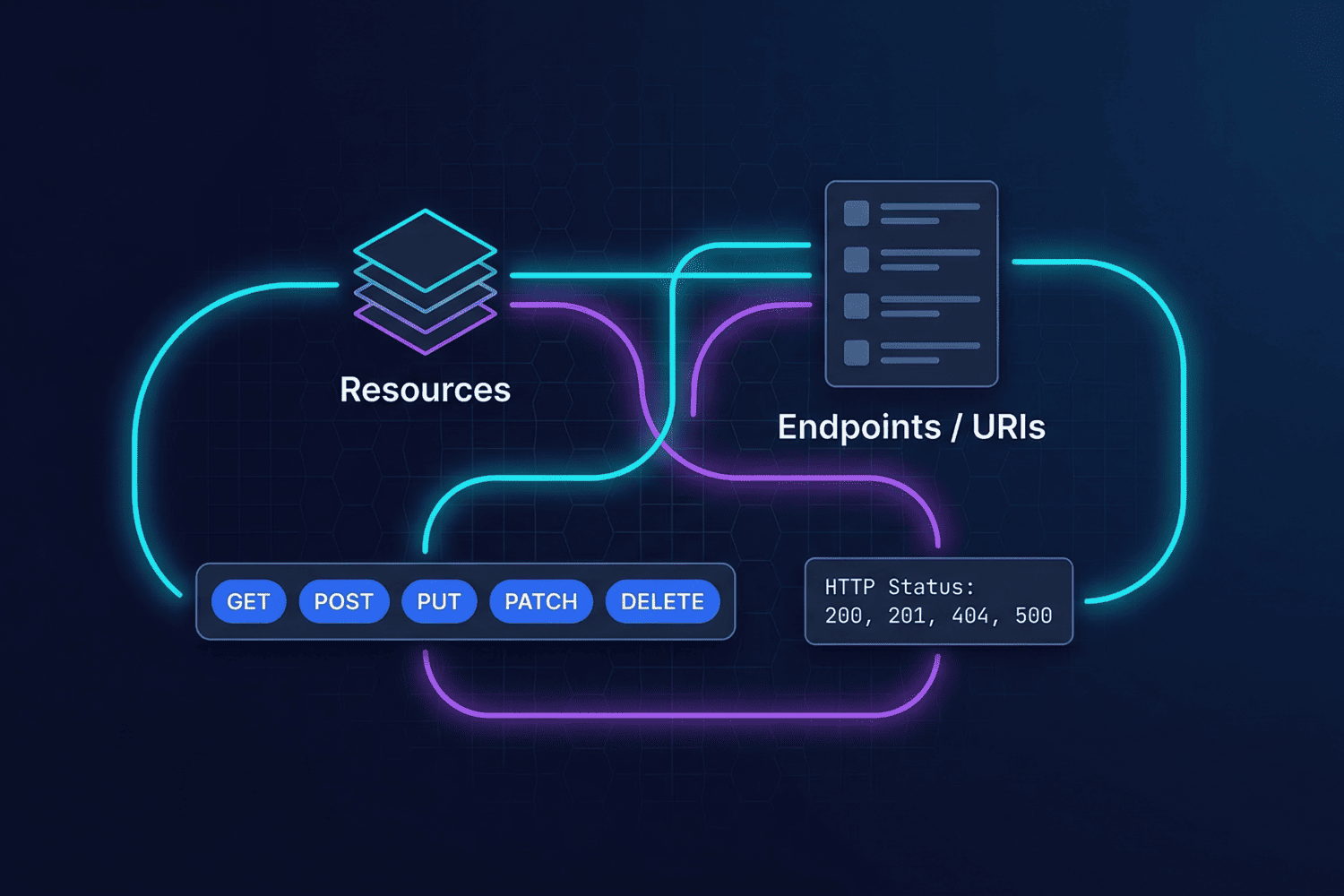
In this article, we go one level deeper and talk about the core building blocks of any solid REST API: resources, endpoints, HTTP methods, and HTTP status codes, with practical examples you can map directly to your daily backend work.
What Is a Resource in a REST API?
In REST, we think about data as resources, not just database tables. A resource is a logical entity in your domain, such as a user, post, product, or order.
A single resource might be stored across multiple tables or even in external services, but from the
API’s point of view it appears as a single, well‑named unit like users or orders.
The client works with meaningful resource names instead of worrying about database internals.
- Example: in an e‑commerce system, you might have resources like
products,categories,orders, andcustomers. - The important part is that each resource represents a clear concept in your domain, regardless of how you store it.
When you adopt a resource‑oriented mindset, your API design becomes clearer, easier to extend, and much easier to discuss within your team.
What Is an Endpoint? How Do We Design Clear URIs?
An endpoint is the URL that a client calls to interact with a specific resource, combined with an HTTP method (GET, POST, etc.). The URI plus the method together describe the operation.
For example, if you have a users resource, your endpoints might look like this:
GET /api/users→ return a list of users.GET /api/users/5→ return user with ID 5.POST /api/users→ create a new user.PUT /api/users/5→ fully update user with ID 5.DELETE /api/users/5→ delete user with ID 5.
Practical rules for clean URI design
- Use nouns, not verbs: good
/api/users, bad/api/getUsers. - Use plural nouns for collections:
users,posts,products. - Put the ID in the path:
/api/users/5, not as a query parameter. - Use nested URIs only when the relationship is very clear, e.g.
/api/posts/10/commentsfor comments that belong to a specific post.
The goal is that any developer seeing your endpoints for the first time can guess what they do without reading a long documentation page.
Core HTTP Methods in a REST API
REST builds on top of the HTTP methods that already exist and maps them to the classic CRUD operations (Create, Read, Update, Delete) on your resources.
GET
GET is used to read data without modifying it.
For example: GET /api/posts to return a list of posts,
or GET /api/posts/10 to return a single post.
GET is both safe and idempotent: repeating the same request does not change the server’s state and, assuming the data did not change for other reasons, returns the same result each time.
POST
POST is usually used to create a new resource or trigger an operation
that is not guaranteed to have the same result every time.
For example, POST /api/posts with a JSON body to create a new post.
If you send the same POST request twice with the same body, you might end up with two separate posts, which is why POST is not idempotent.
PUT
PUT is typically used to fully replace a resource with a new representation
(or create it if it does not exist, depending on your design).
Example: PUT /api/posts/10 to overwrite post 10 with the data in the request body.
PUT is idempotent: if you send the exact same PUT request ten times, the final state on the server is the same as after the first request.
PATCH
PATCH is meant for partial updates to a resource.
For example, PATCH /api/posts/10 with a body like
{"title": "New Title"} to update only the title field.
From a theoretical perspective, PATCH does not have to be idempotent, but you can design your API so that a given PATCH body always leads to the same final state if repeated.
DELETE
DELETE is used to remove an existing resource. For example:
DELETE /api/posts/10 to delete post 10.
DELETE should be idempotent: the first request removes the resource, and subsequent DELETEs for the same ID do not further change the server’s state.
Idempotency and the Difference Between PUT and PATCH
A method is idempotent if performing the same operation multiple times in a row with the same input results in the same final state as performing it once.
- GET: idempotent (read‑only).
- PUT: idempotent (full replacement with the same value).
- DELETE: idempotent (after the resource is gone, further deletes change nothing).
- POST: not idempotent (can create a new resource each time).
- PATCH: depends on how you implement the partial update in your API.
In practice, the key difference between PUT and PATCH is:
- PUT usually means “send me the full resource; I’ll replace what I have with this”.
- PATCH means “send only the fields you want to change; I’ll merge them into the existing resource”.
Key HTTP Status Codes in REST APIs
An HTTP status code is the three‑digit number returned with every response that tells the client the overall result of the request: success, client error, or server error.
Success codes (2xx)
- 200 OK → the request succeeded and the response has a body (e.g. successful GET or PUT).
- 201 Created → a new resource was successfully created (typically for POST), often with the resource in the body.
- 204 No Content → the request succeeded but there is no response body (e.g. successful DELETE).
Client error codes (4xx)
- 400 Bad Request → the request itself is malformed (broken JSON, missing parameter, etc.).
- 401 Unauthorized → authentication is missing or invalid.
- 403 Forbidden → the user is authenticated but not allowed to perform this action (authorization problem).
- 404 Not Found → the requested resource doesn’t exist.
- 409 Conflict → a conflict with the current state (e.g. duplicate value for a unique field).
- 422 Unprocessable Entity → the request was well‑formed but validation failed.
Server error codes (5xx)
- 500 Internal Server Error → an unexpected error occurred on the server.
- 502 / 503 / 504 → gateway issues, service unavailable, or timeouts, which you’ll often see in distributed systems.
How to Choose the Right Status Code
The golden rule: pick a code that honestly reflects what happened, and be consistent across all endpoints.
-
GET /api/posts/10
Post exists →200 OK
Post not found →404 Not Found -
POST /api/posts
Post created →201 Created
Validation failed →422 Unprocessable Entitywith a JSON error list -
PUT /api/posts/10
Post updated successfully →200 OKor204 No Content
ID not found →404 Not Found -
DELETE /api/posts/10
Deleted (or already gone) →204 No Content
Not allowed →403 Forbidden
Practical Example: Designing Endpoints for a posts Resource
Let’s put everything together in a simple design for a posts resource:
GET /api/posts→ return all posts (200 OK).GET /api/posts/{id}→ return a single post (200 OK or 404 Not Found).POST /api/posts→ create a new post (201 Created or 422 Unprocessable Entity).PUT /api/posts/{id}→ fully replace a post (200/204 or 404).PATCH /api/posts/{id}→ partially update a post (200/204 or 404).DELETE /api/posts/{id}→ delete a post (204 or 403 if not allowed).
Example response for creating a new post:
{
  "data": {
    "id": 10,
    "title": "Introduction to REST API Design",
    "body": "Content of the article...",
    "tags": ["rest", "api", "design"],
    "created_at": "2026-03-22T11:30:00Z"
  },
  "message": "Post created successfully"
}
With this kind of design, any developer can quickly scan the list of endpoints and understand which operations are available, what they return, and which status codes to expect. That’s exactly what we want from a clean, scalable REST API.